






Intel® Core™ Series 3 Processors: Back to School Use Case
Students need PCs that can keep up with their demanding homework, required course software, and busy schedules.
Intel® Core™ Series 3 processor-based laptops provide the Windows compatibility many school apps rely on, helping students stay productive from day one.
With built-in AI capabilities, these processors accelerate routine tasks to facilitate easier study sessions and smoother multitasking.

Designed for all-day battery life to support long hours on campus, Intel® Core™ Series 3 processor-based laptops are a smart choice for students.1
From note-taking and collaboration to research and content creation, let's explore some of the helpful apps students rely on, and see how they run seamlessly on Intel® Core™ Series 3 processor-based laptops.a
Student App Use Cases
In this section, we'll take a look at three apps that support different aspects of student life, from productivity and collaboration to security and data protection.


CANVID
CANVID makes it easy for students to create polished screen recordings with automatic zooms, AI-powered voice cleanup, webcam background blur, and added captions. This easy-to-use app allows users to create videos at home that look professional, plus sensitive content detection helps protect students' private information.
On Intel® Core™ Series 3 processor-based laptops, these capabilities run smoothly thanks to integrated AI that enables helpful audio and video features.





Student Use Case
Gabriella is working on her final analytics project and uses CANVID to turn her assignment into a short video presentation. She starts recording on CANVID, which allows her to record herself and her on-screen visuals simultaneously. While on camera, she begins by introducing her research question. Then, she transitions into a screen recording to walk through her dataset, explain the formulas, and present her dashboard results. CANVID naturally improves Gabriella’s video with features like AI voice clean up that creates crisper audio.





As she records, CANVID helps keep the presentation clear by automatically highlighting what she clicks and making it easier for viewers to follow along. While filming, CANVID automatically zooms in on her data cells, charts, and more so the important details stand out. Once she’s done, Gabriella uses CANVID’s sensitive content masking feature to hide her personal info, like her student ID number and email address.




Distinct AI Render FX
With tools like Render FX on Distinct AI, students can create and edit images more efficiently using Intel® Core™ Series 3 processors. The processor's AI capabilities enable the tasks to run locally, so the app can be used without an internet connection, letting students work without relying on cloud access.
As images are generated, Render FX features automatically cleans up rough edges, sharpens details, and removes artifacts to deliver high-quality images.
Student Use Case
Manuel, a marketing student, is working on a mock campaign for outdoor gear and uses Render FX to bring his ideas to life. He types in a prompt asking to generate camping images featuring items like a backpack and water bottle set in a campsite scene. The software automatically improves clarity, details, and make natural elements like fabric and wood look more realistic.






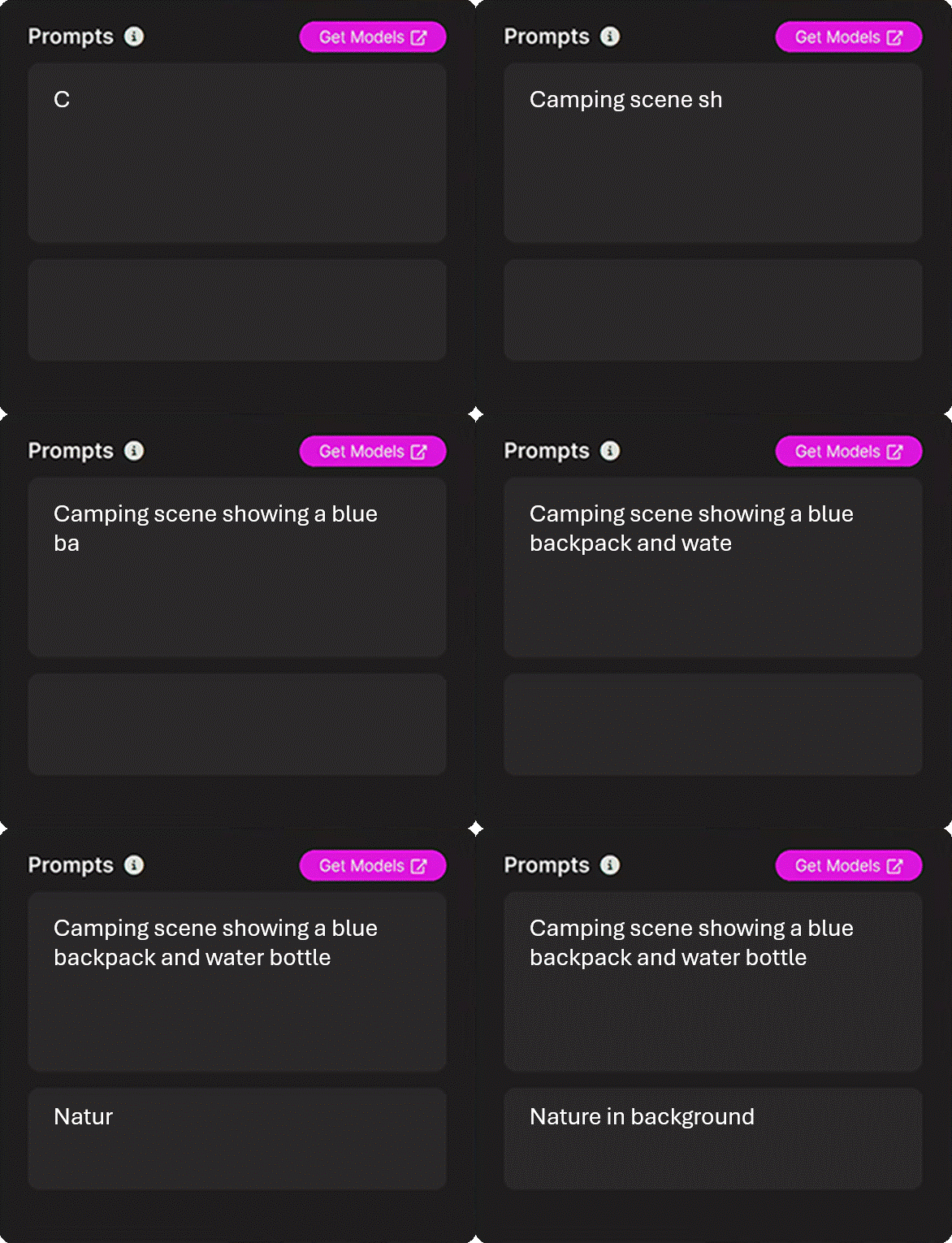
Manuel’s finished images are professional-level, but he can keep refining them throughout the week if needed. Since Render FX runs directly on the device using the AI built into Intel® Core™ Series 3 processors, Manuel doesn’t need an internet connection to continue adjusting his images with new prompts or fine tuning the settings.




Norton Deepfake Detection
Norton Deepfake Detection helps identify manipulated or AI-generated content that’s trying to trick users into sharing sensitive information.
On Intel® Core™ Series 3 processor-based PCs, Norton software and its features are further supported by the processor hardware. Because these processors feature an NPU with AI capabilities, data is better protected by faster threat detection, local task processing, and more. This software runs constantly in the background, only alerting users of threats when needed.



Student Use Case
Noe is a finance student who’s currently researching different investment opportunities for a mock client portfolio. While researching various investment strategies, Noe watches a video of a well-known public figure promoting a "can't-miss" investment opportunity. As the video plays, Norton’s Deepfake Protection runs in the background, analyzing the audio for signs of AI-generated voice manipulation and scam-related patterns.


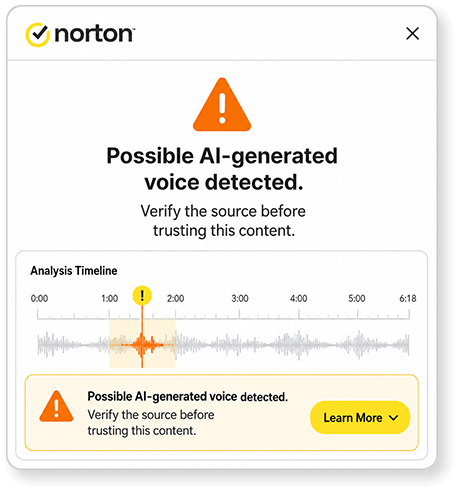
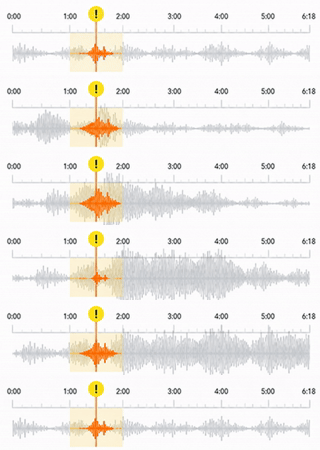



Norton alerts Noe that the audio may not be authentic, prompting him to verify the information with trusted sources. He includes this example in his project to show how AI-generated content can be used in scams and why it's important to verify online information before trusting it.


Summary
Intel® Core™ Series 3 processor-based laptops help students handle demanding coursework with Windows compatibility, built-in AI features, and all-day battery life.1 Students can use tools like CANVID for video presentations, Render FX for creating visuals, and Norton Deepfake Detection to help identify manipulated media.
With support for over 250 AI-optimized applications and more than 400 AI-optimized features, Intel® Core™ Series 3 processors effortlessly support student workloads. Recommend Intel® Core™ Series 3 processors to students seeking a reliable option for productivity, creativity, and everyday academic use.
TAKE THE QUIZ
For Retail Sales Professional training only. Do not repurpose or reuse without permission.
Performance varies by use, configuration and other factors. Learn more at www.intel.com/PerformanceIndex.
1 Designed for all day battery life: refers to laptops powered by Intel® Core™ Series 3 processors with minimum battery size and power efficient designs that leverage Intel's latest architecture, advanced compute technology and power optimizations that combine to deliver extended battery life while performing office multitasking, video playback, web browsing, and standby time in a typical consumer PC usage scenario and realistic environment. See intel.com/performanceindex for workload and configuration details. Individual system results will vary significantly with different usages, battery capacity and other OEM design factors.
No product or component can be absolutely secure.
Your costs and results may vary.
Intel technologies may require enabled hardware, software, or service activation.
© Intel Corporation. Intel, the Intel logo, and other Intel marks are trademarks of Intel Corporation or its subsidiaries. Other names and brands may be claimed as the property of others.