Intel® Core™ Ultra 200V Processors vs. Qualcomm Snapdragon X Elite Processors
AI PC processors boost performance across workloads, helping users automate tasks and accomplish everyday workloads faster. Not all AI PC processors are alike, with some differing in processor architecture, compatibility, and performance.
Intel® Core™ Ultra 200V series processors are highly compatible with a majority of apps and offer a powerful performance in many relevant user categories. Snapdragon X Elite processors can also support various workloads, but feature a different architecture that affects their app compatibility.
In this training, we’ll compare the architecture, compatibility, and performance of Intel® Core™ Ultra 200V series processors and Snapdragon X Elite processors.
Processor Architecture and Compatibility
Processor compatibility determines whether a processor can work with certain software, operating systems, and hardware. Compatibility depends on a processor's physical design, so not all processors can run the same operating systems or support the same applications.
Intel® Core™ Ultra 200V Series Processors
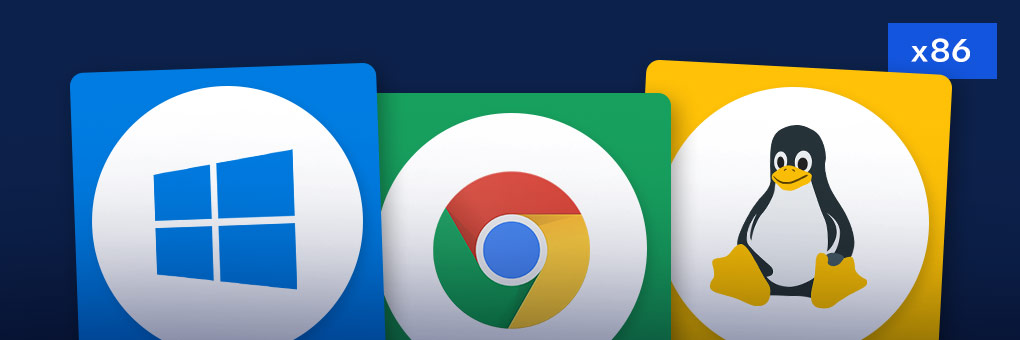
Intel® Core™ Ultra 200V series processors are built using x86 architecture, which is the traditional processor architecture. Using the traditional architecture means that these processors offer broad software compatibility with multiple Operating Systems, such as Windows, Chrome, and Linux.
A majority of apps have been designed for processors with an x86 architecture, so Intel® Core™ Ultra 200V series processors effortlessly run most creative, gaming, and productivity software!
Plus, Intel® Core™ Ultra 200V series processors include a variety of advanced features, such as:
- Power-efficient processor architecture
- Low Power E-cores
- Dedicated 8 MB Memory Side Cache
- Integrated Intel® Xe Matrix Extensions (Intel® XMX) Systolic AI Engine for graphics performance
- Integrated Intel® Arc™ Graphics
- Enhanced NPU AI Engine providing up to 48 TOPS
Snapdragon X Elite Processors
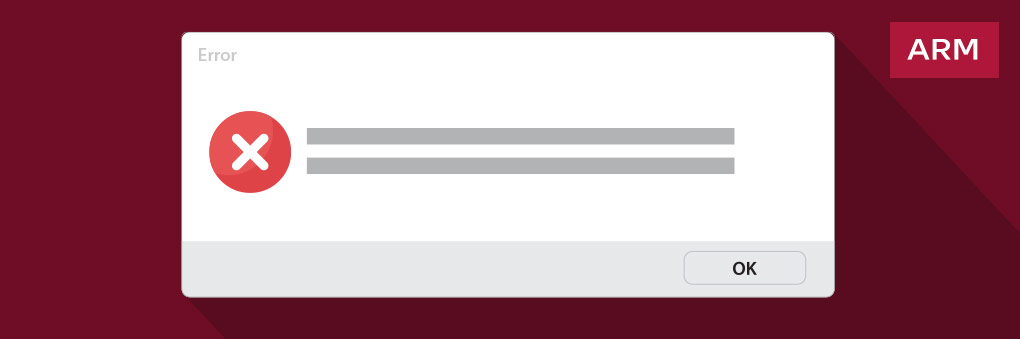
Featuring a different, less common PC architecture, Snapdragon X Elite processors are built on ARM architecture. This design only supports one Operating System, a version of Windows called Windows on ARM (WoA).
While a majority of apps were designed to run on Windows, the same cannot be said for WoA. This operating system has a smaller number of apps it can run natively, so customers are limited in the number of apps they can use.
If an app can’t be run natively on WoA, sometimes an emulator can be used to run apps designed for x86 processors. Emulators convert x86 instructions into ARM instructions, letting users run apps that aren’t designed for ARM-based processors.
However, running an app through an emulator often means slower performance, higher power usage, and a less consistent experience overall. In some cases, apps won’t run at all, even with emulation, limiting what users can do.
Processor Performance
Let’s see how Intel® Core™ Ultra 200V series processors and Snapdragon X Elite processors compare when tested in relevant workloads like productivity, graphics, AI, and battery life.
VS.
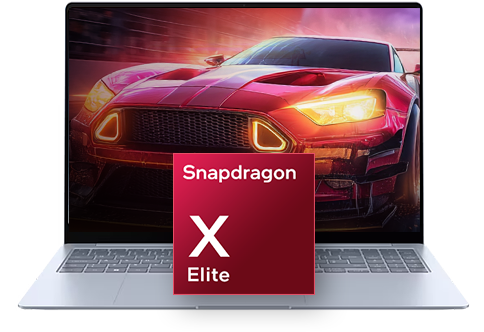
Snapdragon X Elite X1E-84-100 processor
Snapdragon X Elite X1E-80-100 processor
VS.
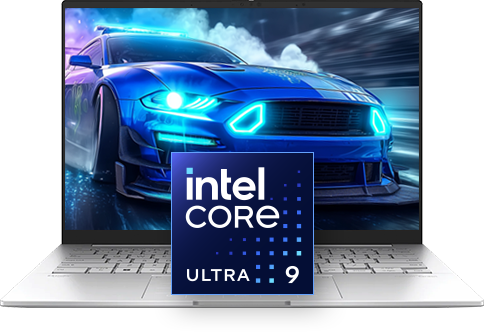
Intel® Core™ Ultra 9 processor 288V
Intel® Core™ Ultra 7 processor 258V

Productivity Performance
When tested in productivity workloads, the Intel® Core™ Ultra 9 processor 288V provided up to:
15%
Better
CrossMark

Graphics Performance
When tested in measuring raw graphics performance, the Intel® Core™ Ultra 9 processor 288V outperformed the Snapdragon X Elite X1E-84-100 processor.
The Intel® Core™ Ultra 9 processor 288V performed up to:

AI Performance
When AI performance was tested, the Intel® Core™ Ultra 9 processor 288V delivered a slightly better performance than the Snapdragon X Elite X1E-84-100 processor.
The Intel® Core™ Ultra 9 processor 288V scored up to:

Battery Life
When battery life was tested, the device powered by the Intel® Core™ Ultra 9 processor 288V ran over 12 hours longer than the Snapdragon X Elite X1E-84-100 processor-powered device.
12 hours
longer
Productivity Performance
When tested in productivity workloads, the Intel® Core™ Ultra 7 processor 258V performed better than the Snapdragon X Elite X1E-80-100 processor in one metric and equal to it in another.
The Intel® Core™ Ultra 7 processor 258V provided up to:
Graphics Performance
When tested in graphics workloads, the Intel® Core™ Ultra 7 processor 258V outperformed the Snapdragon X Elite X1E-80-100 processor.
The Intel® Core™ Ultra 7 processor 258V performed up to:
AI Performance
When tested in AI workloads, the Intel® Core™ Ultra 7 processor 258V outperformed the Snapdragon X Elite X1E-80-100 processor.
The Intel® Core™ Ultra 7 processor 258V scored up to:
Battery Life
When battery life was tested, the device powered by the Intel® Core™ Ultra 7 processor 258V provided up to 12 hours of battery life.
12 hours
Summary
Built on an x86 architecture, Intel® Core™ Ultra 200V series processors offer broad app compatibility and strong performance in many categories. Constructed using ARM architecture, Snapdragon X Elite processors provide less compatibility with apps.
Recommend an Intel® Core™ Ultra 200V series processor to customers wanting AI capabilities and a high level of performance in productivity, graphics, and more!
Take the Quiz
Notices & Disclaimers
NOTICES & DISCLAIMERS
Materials are Intel Confidential. For Retail Sales Professional training only. Do not repurpose or reuse without permission.
Performance varies by use, configuration and other factors. Learn more at www.intel.com/PerformanceIndex.
Performance results are based on testing as of dates shown in configurations and may not reflect all publicly available security updates.
System Configurations
Measured by Intel as of August 2025
Processor: Intel® Core™ Ultra 9 processor 288V; tested in Dell XPS 13; Memory: 32GB LPDDR5 8533MHz; Storage: PC SN740 NVMe WD 1TB; Graphics: Intel® Arc™ 140V GPU (16GB); OS: Windows 11 Pro 26100.4061 (24H2); Power Plan set to Balanced; Power Mode set to “Best Performance”
Processor: Intel® Core™ Ultra 7 processor 258V; tested in Asus Zenbook S 14; Memory: 32GB 4x8GB LPDDR5-8533MHz; Storage: MTFDKBA1T0QGN - 1TB; Graphics: Intel® Arc™ 140V GPU; OS: Windows 11 Home 26100.3476 (24H2); Power Plan set to Balanced; Power Mode set to “Best Performance”
Processor: Qualcomm Snapdragon X Elite X1E-84-100, tested in Samsung GalaxyBook4 Edge; Memory: 16GB, LPDDR5, 8448 MT/s, Samsung; Storage: Samsung KLUGGARHHD-B0G1 1TB; Graphics: Qualcomm Adreno X1-85; OS: Windows 11 Home 26100.4652 (24H2); Power Plan set to Balanced; Power Mode set to “Best Performance”
Processor: Qualcomm Snapdragon X Elite X1E-80-100, tested in Dell XPS 13; Memory: 32GB = 2x16GB, DDR5, 8448 MT/s; Storage: PC811 SK Hynix 1024GB: Qualcomm Adreno X1-85; OS: Windows 11 Home 26100.4351 (24H2); Power Plan set to Balanced; Power Mode set to “Best Performance”
Benchmarks
CrossMark: This benchmark measures practical, real-world PC performance for the CrossMark is a benchmark from the BAPCo consortium that is an easy to run native cross-platform benchmark that measures the overall system performance and system responsiveness using models of real-world applications.
3DMark Time Spy (Graphics): Time Spy is a DirectX 12 benchmark test for gaming PCs running Windows 10. With its pure DirectX 12 engine, built from the ground up to support new API features like asynchronous compute, explicit multi-adapter, and multi-threading, Time Spy is the ideal benchmark for testing the DirectX 12 performance of modern graphics cards. The graphics sub-score specifically measures the performance of the graphics processing unit.
3DMark Solar Bay Unlimited – Graphics Score: 3DMark Solar Bay is a cross-platform benchmark for ray tracing capable Windows and Android devices. Use Solar Bay to test and compare the graphics performance of the latest high-end phones, tablets, and lightweight PCs. The graphics sub-score specifically measures the performance of the graphics processing unit.
Procyon office productivity benchmark from UL Solutions uses Microsoft Office applications to measure Windows PC and Apple Mac performance in office productivity tasks. The benchmark workloads are built on relevant, real-world tasks using Microsoft Word, Excel, PowerPoint and Outlook.
Procyon Battery Life Benchmark: The office productivity scenario uses Microsoft Office applications to simulate a working day. The benchmark uses Word, PowerPoint, Excel and Outlook to run workloads in a loop and can factor in different screen brightness levels. The score is measured in minutes of battery life.
Procyon Computer Vision: The Procyon AI Computer Vision Benchmark gives insights into how AI inference engines perform on your Windows PC or Apple Mac, helping you decide which engines to support to achieve the best performance. The benchmark features several AI inference engines from different vendors, with benchmark scores reflecting the performance of on-device inferencing operations. In the benchmark, common machine-vision tasks are executed using a range of popular, state-of-the-art neural networks.
Procyon AI Image Generation: The Procyon AI Image Generation Benchmark provides a consistent, accurate, and understandable workload for measuring the inference performance of on-device AI accelerators. This benchmark was developed in partnership with multiple key industry members to ensure it produces fair and comparable results across all supported hardware. The benchmark includes three tests for measuring the performance from low power NPUs to high-end discrete graphics cards. The Stable Diffusion XL (FP16) test is our most demanding AI inference workload, and only the latest high-end GPUs meet the minimum requirements to run it. For moderately powerful discrete GPUs, we recommend the Stable Diffusion 1.5 (FP16) test. Finally, we designed the Stable Diffusion 1.5 (INT8) test for low power devices using NPUs for AI workloads.
Geekbench AI is a cross-platform AI benchmark that uses real-world machine learning tasks to evaluate AI workload performance. Geekbench AI measures your CPU, GPU, and NPU to determine whether your device is ready for today's and tomorrow's cutting-edge machine learning applications.
No product or component can be absolutely secure.
Your costs and results may vary.
Intel technologies may require enabled hardware, software, or service activation.
© Intel Corporation. Intel, the Intel logo, and other Intel marks are trademarks of Intel Corporation or its subsidiaries. Other names and brands may be claimed as the property of others.